


Gallery - Photo Gallery
4.6817.00 Reviews
App Specs
- Version
- 1.5.5
- Updated On
- License
- Free
- Downloads
- 10,000,000+
- Developer
- iStrom Apps
- Categories
- Photography
- Platform
- Android
Screenshots
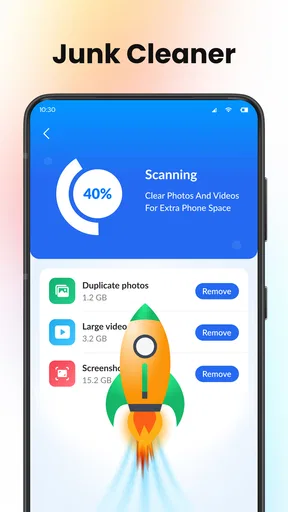
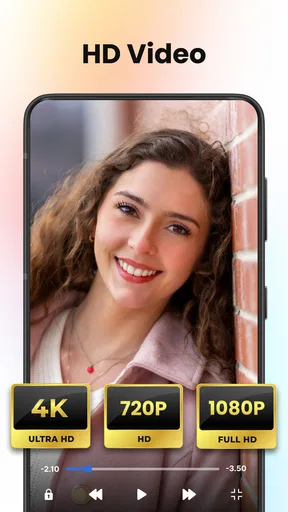

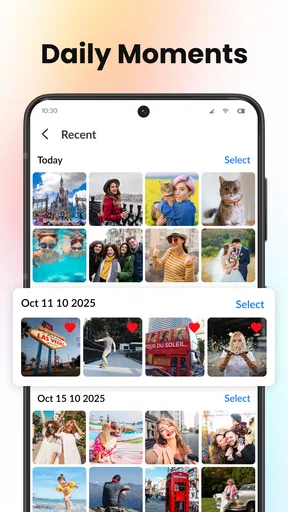
 Analysis by AppCompare
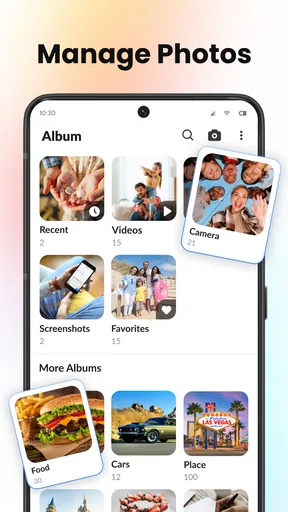
If you’re opening a new gallery app because your camera roll has become hard to manage, I’d start with a small, familiar batch of pictures rather than trying to reorganize everything at once. Gallery - Photo Gallery is a free photography app from iStrom Apps, and its appeal is straightforward: it gives you a place to browse pictures and videos, make albums, and bring some order to a crowded phone. That simple focus is useful when you want to find a particular image without turning photo management into a project.
What to expect from a gallery-first app
I think of this as an organizing and browsing tool, not a replacement for a dedicated photo editor or a full cloud-storage service. The distinction matters. A gallery can help you find and group the photos already on your device, but it is not automatically the right choice for editing a whole shoot, backing up a library, or sharing a curated collection with other people. If you mainly want a calmer way to look through your camera roll, this app’s purpose is easier to understand.
It has a 4.7 average from around 6,500 ratings, and it has passed 500,000 installs. Those figures suggest that many people have tried it, though I would still judge it by whether its everyday workflow fits your own phone. It is rated for Everyone, runs on OS 11 or later, and the current version is 1.3.4. It was released on October 6, 2025, so it is a relatively recent option rather than a long-established gallery that has been around for years.
A calmer first setup
On your first visit, give the app the access it needs to show the photos and videos you want to browse, then pause before creating a dozen albums. Start by checking whether the pictures you expect to see appear in the library. If you keep separate folders for screenshots, downloads, and camera shots, take a moment to notice how those groups are presented before deciding what to move or collect. That small check helps you avoid building an album structure around a view of the library that you have not yet explored.
For a first meaningful action, choose a handful of pictures from one recent occasion and put them into a clearly named album, such as a family visit or a weekend walk. Then open the album again and see whether it makes the photos easier to revisit. This is a low-risk test of the app’s central benefit: not changing the pictures themselves, but making a useful group easier to reach. If the album helps, you can repeat the same approach for receipts, reference images, or saved inspiration you need to find later.
Organizing Made Easy
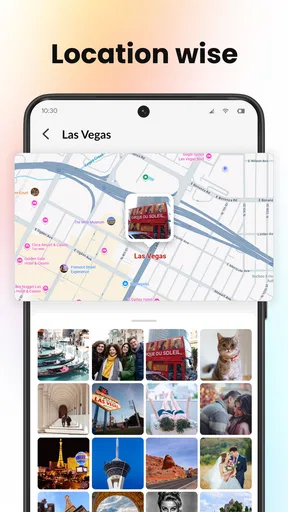
The first thing that caught my eye was how Gallery - Photo Gallery makes organizing photos almost fun. You can create albums, sort them by date, location, or even by theme. It's like having a personal assistant for your photos. And the best part? It’s super intuitive. I didn’t have to spend ages trying to figure out how to use it, which is a big win in my book.
Features Galore
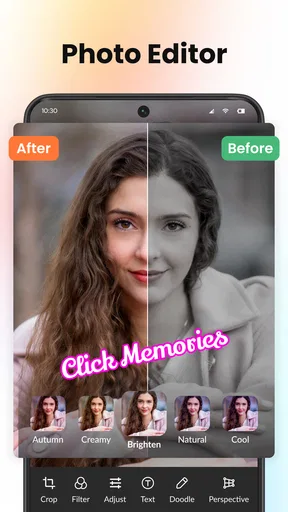
So, what else does this app bring to the table? Well, it’s packed with features that cater to both casual users and photo enthusiasts. There’s a slideshow option for those moments when you want to take a trip down memory lane, and editing tools that, while not as advanced as professional software, get the job done for quick tweaks. Want to add a filter or crop a photo? Easy peasy. It’s all there at your fingertips.
Worth Reading Before You Choose

Flipboard Shows What News Apps Must Do Beyond the Feed

Switching to Android Auto Means Rethinking Your Driving Routine

Google Calendar Makes a Crowded Week Easier to Manage

Ludo King Makes the Most of the Minutes Between Plans

Baby Panda World Brings Quick Play to Modern Phones, but Its Game Library Feels Busy

ESPN’s Live Game View Makes Following Close Games Easier
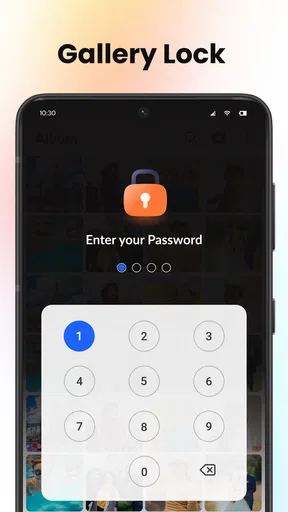
Another cool feature is the security aspect. You can lock your albums with a password, which is perfect if you’ve got some personal snaps you’d rather keep private. This feature alone gives it a leg up over the default gallery apps on most phones.
Turning browsing into a useful routine
A good gallery earns its place through small habits, not one dramatic clean-up. When I add a few photos to an album after an event, I can use that album later as a quick visual record instead of scrolling through unrelated screenshots and camera shots. For a practical example, imagine taking pictures of a recipe, the finished meal, and a handwritten adjustment. A single album keeps those images together when you want to cook it again. The same approach works for a home repair: group a label, a part, and the completed fix so the details are easier to retrieve.
There is also a useful trade-off in making albums by purpose rather than by date alone. A date-based collection is convenient for remembering when something happened; a purpose-based album is often quicker when you remember what the picture was about but not when you took it. I would keep the number of albums modest at first. Too many narrowly named folders can recreate the same problem as an unorganized camera roll, because you then have to remember which folder you chose.
Where it fits among other photo apps
Compared with a phone’s default gallery, a separate app is worth trying when you want a different way to group and revisit your pictures. The built-in option may remain more convenient if you already rely on its device-specific features or have a familiar routine that works. A cloud photo service is a better fit when your main concern is keeping a copy accessible across devices, while a dedicated editor makes more sense when you need detailed adjustments. I would use Gallery - Photo Gallery for browsing and organizing, and keep those other tools for the jobs they handle best.
That division also helps set expectations around privacy. Album locking can make a personal group less exposed during casual browsing, but I would not treat it as a complete substitute for device security or a separate protected-storage system. Before placing sensitive pictures in any gallery, consider who can access your phone and whether the app’s lock fits your needs. For everyday privacy—keeping a personal album apart from the general stream—the option can be handy; for high-stakes protection, choose a tool designed specifically for that purpose.
Common points of confusion
One question people often have is whether an album is a new copy of each image or simply a way to organize it. I would check how the app behaves before deleting or moving anything: open a test image from an album, then confirm that the original still appears where you expect it. This is a sensible habit in any gallery, especially if you use the same pictures in more than one context. It prevents an accidental cleanup from becoming a search for a photo you meant to keep.
Another likely question is whether the app will make every photo instantly searchable. I would not build a workflow around that assumption. The reliable starting point is to use the visible library and the albums you deliberately create. If you remember a picture by its subject, make a small collection when you first encounter it rather than relying on memory weeks later. That takes a few seconds and can save a longer hunt when you need a reference image in a hurry.
Large collections can also change the feel of browsing. The published review notes an occasional delay with very large albums, so I would split an oversized catch-all folder into sensible groups instead of expecting one album to hold every image. For instance, separate a long holiday by stages or subjects rather than mixing travel documents, landscapes, and meal photos together. This makes the collection easier to scan as well as reducing the burden of one sprawling album.
Performance and Usability
Now, I’m a stickler for performance. No one likes an app that lags or crashes. I was pleasantly surprised to find that Gallery - Photo Gallery runs smoothly even on older devices. It’s lightweight, meaning it doesn’t hog your phone’s resources, and that’s always a plus. The user interface is clean and straightforward, which makes it accessible to users of all tech levels.
The only minor hiccup I noticed was the occasional delay in loading very large albums. But hey, if you’re storing a thousand photos in one album, a slight pause is understandable.
Who will get the most from it
I would recommend it to someone whose phone is full of pictures they want to browse and sort without learning a complicated cataloging system. It should also suit a casual user who wants themed albums for trips, household projects, or favorite moments, and who values a quick route back to those images. Its free price makes it easy to try as a secondary gallery, while the Everyone age rating makes it broadly suitable for general use.
I would skip it if your priority is professional-level image editing, a dependable cross-device backup workflow, or advanced controls for managing a very large photography archive. Those needs call for a more specialized editor, backup service, or catalog tool. I would also avoid switching your whole routine on day one: keep your usual gallery available while you test a few albums, especially if you depend on a phone-specific feature that you do not want to lose.
Why You Should Give It a Try
In a world overflowing with apps, finding one that truly stands out can feel like searching for a needle in a haystack. But Gallery - Photo Gallery does exactly that. It’s not just about storing photos; it’s about creating an experience that makes managing your memories simple and enjoyable.
So, if you’re tired of scrolling endlessly or if your current gallery app is driving you nuts, give this one a shot. It might just be the solution you didn’t know you needed. And who knows? You might even find yourself looking forward to organizing those vacation pics!
A sensible next step
My advice is to try one album built around something you expect to look for again soon, then use the app for a few days alongside your current routine. Notice whether you can find that collection faster and whether the browsing style feels natural. If it does, gradually add other groups; if not, you have learned that your existing gallery suits you better without reorganizing your entire library.
For me, the strongest case for this app is its approachable focus: browse the pictures and videos on your phone, make useful albums, and revisit them without needing a complicated system. It is not the best answer for every photo task, but it can be a comfortable everyday choice for people who want more deliberate organization than a single unfiltered camera roll provides.
Pros
- Smooth and intuitive user interface.
- Supports a wide range of image formats.
- Fast image loading and browsing.
- Advanced photo editing tools included.
- Efficient organization with albums and tags.
Cons
- Ads may interrupt user experience.
- Limited cloud storage integration.
- Requires frequent updates for stability.
- Some features locked behind a paywall.
- Occasional lag with large image libraries.
FAQs for Gallery - Photo Gallery
What are the main features of the Gallery app?
The Gallery app offers a range of features designed to enhance your photo viewing experience. It includes an intuitive interface for easy navigation, advanced photo editing tools, and seamless organization of your images into albums. Additionally, it supports various media formats and offers cloud backup options to keep your memories safe.
Is the Gallery app compatible with all Android and iOS devices?
The Gallery app is designed to be compatible with most Android and iOS devices. However, certain features might require more recent operating systems or specific hardware capabilities. It's always a good idea to check the app store listing for compatibility information specific to your device before downloading.
How does the photo backup feature work in the Gallery app?
The Gallery app offers a cloud backup feature that automatically saves your photos to a secure online storage. This ensures that your images are safe from accidental deletion or device loss. You can configure the backup settings to choose how often backups occur and whether they should be done over Wi-Fi only to save on mobile data.
Can I customize the organization of my photos in the Gallery app?
Yes, the Gallery app provides extensive customization options for organizing your photos. Users can create custom albums, tag images for easy searching, and sort photos by date, location, or other metadata. This flexibility allows you to tailor your gallery to suit your personal preferences and needs.
Is there a privacy feature to protect my photos in the Gallery app?
The Gallery app includes privacy features to protect your sensitive photos. You can lock specific albums with a password or fingerprint authentication, ensuring that only authorized users can access them. This adds an extra layer of security, giving you peace of mind when storing private images.


